Premium Subscription
Treadmill Assistant offers a free tier that includes free-run workouts, treadmill speed/incline control, and basic workout history. A Premium subscription unlocks advanced features like custom programs, ad-hoc targets, health sync, cloud backup, and more.
Free Tier
Without a subscription, you can connect to your treadmill, control speed and incline, run free-run workouts, and view basic workout history. Premium features show a lock icon — tap to subscribe.
Free vs Premium
| Feature | Free | Premium |
|---|---|---|
| Bluetooth treadmill connection |  |
|
| Speed & incline control | |
|
| Free-run workouts | |
|
| Real-time stats display | |
|
| Basic workout history | |
|
| Custom workout programs |  |
|
| Ad-hoc workouts with targets | |
|
| Pause mode | |
|
| Health sync (Apple Health / Health Connect) | |
|
| Cloud backup (iCloud / Google Drive) | |
|
| External HR monitor support | |
|
| HR zone analysis | |
|
| HR-based calorie estimation | |
|
| Equipment maintenance tracking | |
|
| Keep Screen On | |
|
Subscription Plans
Two subscription options are available:
Monthly Plan
- Billed monthly
- Full access to all features
- Cancel anytime
Yearly Plan
- Billed annually
- Save 50% compared to monthly
- Full access to all features
- Cancel anytime
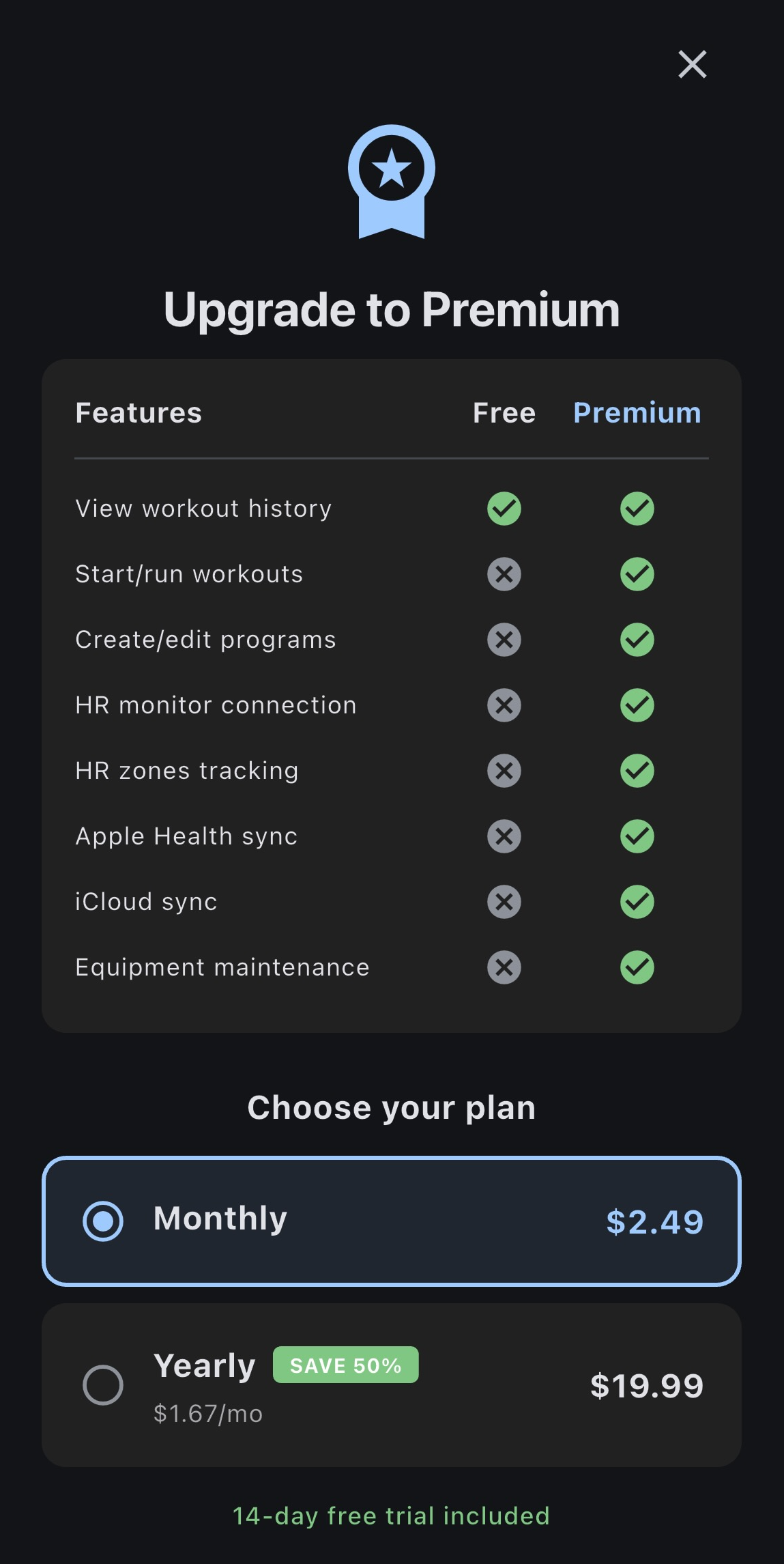
How to Subscribe
When you try to use a feature, the subscription screen appears:
- Choose your plan - Select Monthly or Yearly
- Tap "Start Free Trial" - Begin the purchase process
- Confirm with Apple - Authenticate with Face ID, Touch ID, or password
- Choose your plan - Select Monthly or Yearly
- Tap "Start Free Trial" - Begin the purchase process
- Confirm with Google Play - Complete the purchase dialog
Free Trial
New subscribers may be eligible for a free trial period. The trial duration is shown on the subscription screen. You won't be charged until the trial ends.
Premium Indicators
A lock icon appears on features when you don't have an active subscription:
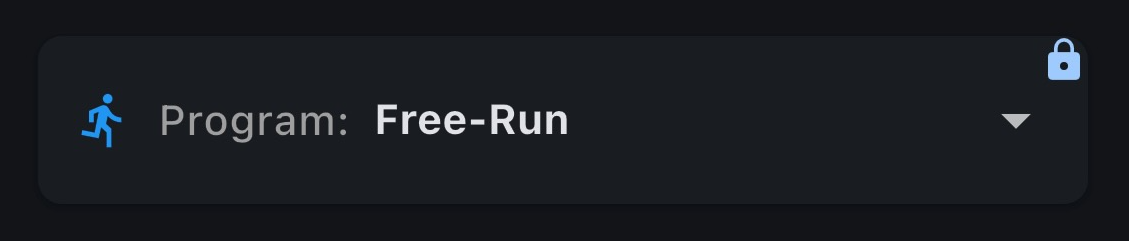
Tapping a locked feature opens the subscription screen.
Restoring Purchases
If you've previously subscribed and need to restore your purchase (e.g., after reinstalling the app or on a new device):
- Open the Paywall Screen (tap any locked feature)
- Tap Restore Purchases at the bottom
- Authenticate with your Apple ID if prompted
- Your subscription status will be restored
Same Apple ID Required
You must be signed into the same Apple ID that was used for the original purchase.
On Android, purchases are automatically restored through Google Play Billing. When you sign into the same Google account used for the original purchase, your subscription is recognized automatically. There is no "Restore Purchases" button needed.
Managing Your Subscription
Cancel Subscription
Subscriptions are managed through Apple:
- Open iOS Settings
- Tap your Apple ID at the top
- Tap Subscriptions
- Find Treadmill Assistant
- Tap Cancel Subscription
Subscriptions are managed through Google Play:
- Open the Google Play Store app
- Tap your profile icon at the top right
- Tap Payments & subscriptions
- Tap Subscriptions
- Find Treadmill Assistant
- Tap Cancel subscription
Access Until End of Period
After canceling, you'll retain Premium access until your current billing period ends. You won't be charged again.
Change Plan
To switch between Monthly and Yearly:
- Open iOS Settings > Apple ID > Subscriptions
- Tap Treadmill Assistant
- Select a different plan option
To switch between Monthly and Yearly:
- Open Google Play Store > Profile > Payments & subscriptions > Subscriptions
- Tap Treadmill Assistant
- Select a different plan option
Promo Codes
Promo codes are available on iOS only:
- Open the Paywall Screen
- Tap Redeem Code
- Enter your code
- Premium access will be activated
Troubleshooting
Purchase Not Completing
Problem: The purchase seems stuck or never completes
Solutions:
- Ensure you have a stable internet connection
- Verify your Apple ID payment method is valid
- Try closing and reopening the app
- Restart your iPhone and try again
Solutions:
- Ensure you have a stable internet connection
- Verify your Google Play payment method is valid
- Try closing and reopening the app
- Clear Google Play Store cache (Android Settings > Apps > Google Play Store > Clear Cache)
- Restart your device and try again
"Already Subscribed" But Features Locked
Problem: You're subscribed but still see the paywall
Solutions:
- Tap Restore Purchases on the paywall screen
- Ensure you're signed into the correct Apple ID
- Check subscription status in iOS Settings > Apple ID > Subscriptions
- Contact Apple Support if subscription shows active but app doesn't recognize it
Solutions:
- Ensure you're signed into the correct Google account
- Check subscription status in Google Play Store > Profile > Payments & subscriptions
- Try closing and reopening the app
- Contact Google Play Support if subscription shows active but app doesn't recognize it
Restore Purchases Not Working (iOS)
Problem: Restore button doesn't find your subscription
Solutions:
- Verify you're using the same Apple ID as the original purchase
- Check that the subscription hasn't expired
- Wait a moment and try again (sometimes takes a few seconds)
- Contact support if issues persist
Charged But No Access
Problem: You were charged but Premium isn't active
Solutions:
- Wait a few minutes - sometimes there's a delay
- On iOS, try Restore Purchases
- Close and reopen the app
- If still not working, contact support with your receipt
Subscription Terms
- Subscriptions automatically renew unless canceled at least 24 hours before the end of the current period
- Your account will be charged for renewal within 24 hours prior to the end of the current period
- You can manage and cancel subscriptions in your account settings (Apple ID on iOS, Google Play on Android)
- Any unused portion of a free trial period is forfeited when purchasing a subscription
For complete details, see our Terms of Service and Privacy Policy.
FAQ
Can I share my subscription with family?
No, Treadmill Assistant subscriptions are tied to individual accounts and cannot be shared via Family Sharing (iOS) or Google Play Family Library (Android) at this time.
What happens to my data if I cancel?
Your workout history and data are preserved. You can still use free-run mode, control your treadmill, and view basic workout history, but premium features (programs, ad-hoc targets, health sync, etc.) will be locked.
Is there a lifetime purchase option?
Not at this time. Monthly and yearly subscriptions are available, with the yearly plan saving 50%.
Can I get a refund?
Refunds are handled by your store:
- iOS: Visit reportaproblem.apple.com to request a refund
- Android: Visit Google Play subscriptions to manage or request a refund
Need help with your subscription? Contact us at Support.